




Advertisement
In this article
Play Missing Shapes Online – Free Shape Matching Game for Kids
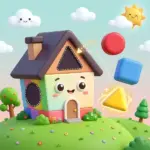
Missing Shapes is a free shape matching game for kids made for toddlers and preschoolers. Each level shows a fun picture with a piece missing. Your child looks at the gap, picks the right shape from three choices, and watches the picture come together. It runs in the browser on a computer or tablet, with no download and no sign-up.
What Is Missing Shapes?
Missing Shapes is a simple puzzle game from the Cartoonito kids brand. It turns shape learning into a quick, friendly challenge. Instead of naming shapes from a list, children see shapes the way they meet them in real life: as parts of everyday objects like a wheel, a roof or a window.
The game starts with easy shapes such as circles, squares and triangles, then mixes in trickier, funnier shapes as your child gets more confident. There is no timer and no losing, so little ones can take their time and try again.
How to Play
- Look at the picture. Each level shows an object with one part missing.
- Check the three shapes. On the right side of the screen, three shapes are waiting.
- Pick the right one. Click (or tap) the shape that fits the empty space.
- Move to the next level. When the shape fits, the picture is complete and a new one appears.
Controls: Mouse on PC, finger tap on iPad and tablets.
What Kids Learn
A good shape matching game teaches more than shape names. While playing Missing Shapes, children practice:
- Shape recognition – telling a circle from an oval, or a square from a rectangle.
- Visual thinking – imagining which piece will fill a gap before choosing it.
- Problem solving – comparing three options and ruling out the wrong ones.
- Hand–eye coordination – moving the mouse or finger to the right spot.
- Early math skills – shapes are one of the first geometry ideas in preschool and kindergarten.
Tips for Parents and Teachers
- Say the shape names out loud. When your child picks a shape, say "That's a triangle!" Hearing the word while seeing the shape helps it stick.
- Count the sides together. For older preschoolers, ask "How many sides does it have?"
- Go on a shape hunt after playing. Find circles, squares and triangles around the house or classroom.
- Keep sessions short. 10–15 minutes is perfect for toddlers. Stop while it's still fun.
- Use it in class. On a smartboard, the whole class can call out the answer before one child taps it.
Shapes Your Child Will Meet
| Shape | Easy way to explain it |
|---|---|
| Circle | Round like a ball or a wheel – no corners |
| Square | 4 sides, all the same length |
| Triangle | 3 sides and 3 corners, like a slice of pizza |
| Rectangle | 4 sides – 2 long and 2 short, like a door |
| Fun shapes | Stars, hearts and silly shapes for extra challenge |
More Shape Games for Kids
If your child enjoys this shape matching game, explore more free games in our Silly Shapes category: shape puzzles, shape coloring and shape memory games that build the same skills in new ways. You'll also find letter, number and math puzzle games for kids on Alphabet Games.
More Free Learning Games
Looking for more fun? Try these free games on Alphabet Games:
- Alphabet Game – learn the letters of the ABC with a fun game.
- Math Puzzles for Kids – fun number puzzles for early math skills.
- Tap to Color: Painting Book – a relaxing coloring game for little artists.
- Animal Transform Race – switch animals and race on land, water and ice.
- Memory Match Puzzle – flip the tiles and find every matching pair.
Browse more games in our Shape Games category.
FAQ
What age is Missing Shapes for?
Missing Shapes is best for children aged 2 to 5. Toddlers can play with a little help, and preschoolers can usually play on their own.
Is Missing Shapes free to play?
Yes. Missing Shapes is completely free and runs in your browser. There is nothing to download and no account needed.
Can my child play Missing Shapes on an iPad or tablet?
Yes. The game works on iPad, Android tablets and PC. On tablets, kids simply tap the shape instead of clicking.
Does the game work on a desktop PC or laptop?
Yes. On a Windows PC, Mac or Chromebook, children use the mouse to click the right shape.
What does a shape matching game teach kids?
A shape matching game teaches children to recognize basic shapes, compare them and see how shapes fit into real objects. These are early geometry and problem-solving skills used in preschool and kindergarten.
Is it safe for young children?
Yes. The game has simple, friendly pictures, no violence and no chat. As with any online game, we recommend an adult stays nearby for younger children.
Can teachers use Missing Shapes in class?
Yes. It works well on a smartboard or projector for whole-class shape practice, and as a quick learning center activity on classroom tablets.
What if my child picks the wrong shape?
There is no losing. Your child can simply try another shape until the right one fits, which builds confidence without pressure.